Connecting Claude to Dreamteam CRM
Last updated: August 26, 2026
You're mid-conversation with Claude and need to check a deal or pull a contact - without breaking flow.
Dreamteam MCP lets Claude talk to your CRM directly. Ask Claude to look up a contact, update a deal, or pull pipeline data - it goes through your Dreamteam workspace, respects your permissions, and returns the answer right in your chat. Setup takes a minute.
Before you start
You'll need:
An active Dreamteam CRM account
Access to Claude (Desktop or Web)
Your org name - the part before
.dreamteamcrm.aiin your login URL (e.g.,acmecorpforacmecorp.dreamteamcrm.ai)
Your MCP URL will look like this:
<https://api.dreamteamcrm.ai/org/{your-org-name}/mcp>Open Connectors - In Claude, click your profile icon (bottom-left), then Settings → Connectors.
Add your connector - Click Add custom connector. Give it a recognizable name (e.g., your company name), and enter the MCP server URL in this format:
<https://api.dreamteamcrm.ai/org/{your-org-name}/mcp>
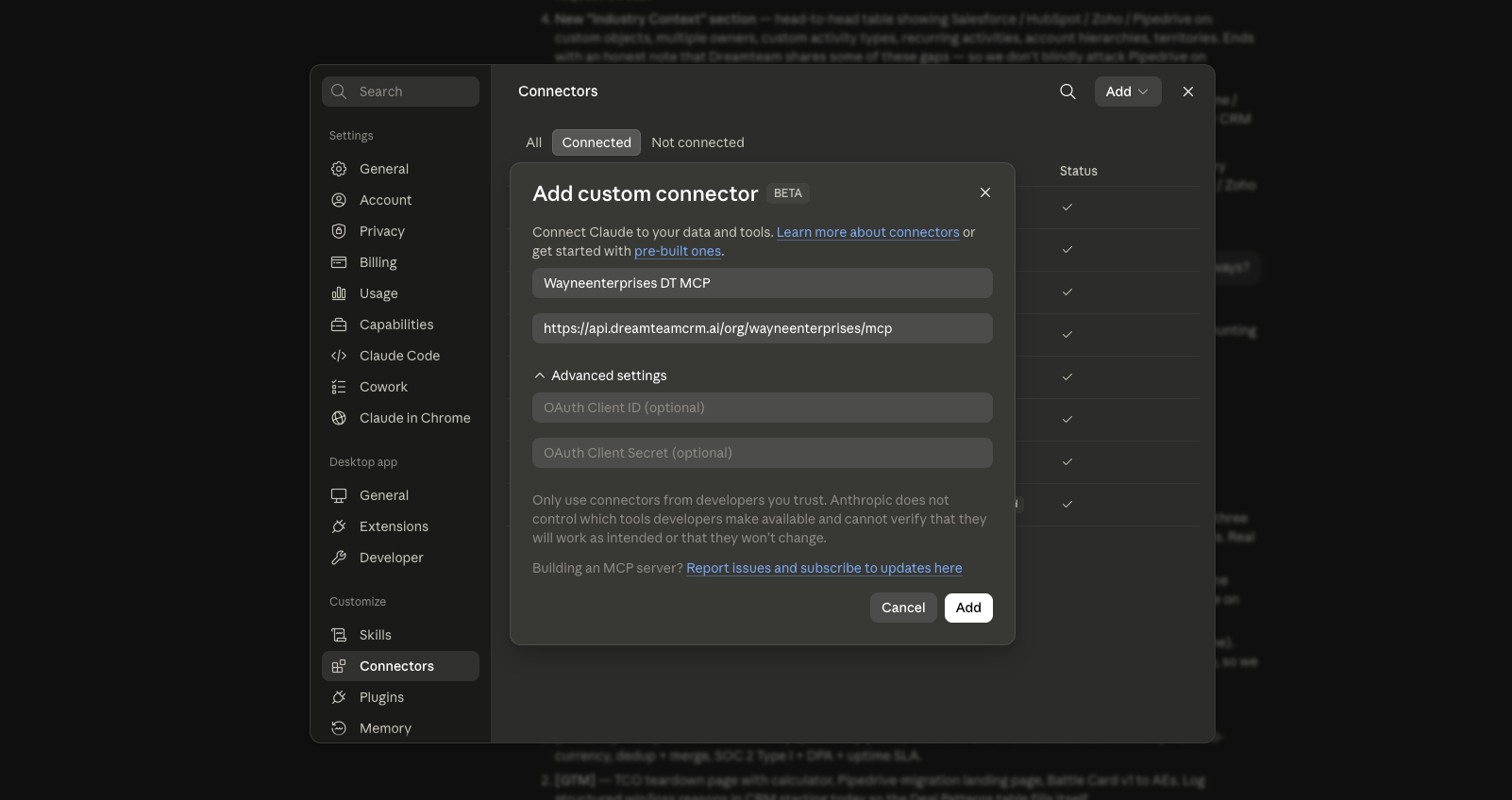
Sign in - Click Add, then click Connect when prompted. Your browser opens the Dreamteam login page. Sign in with your username/password or Google.
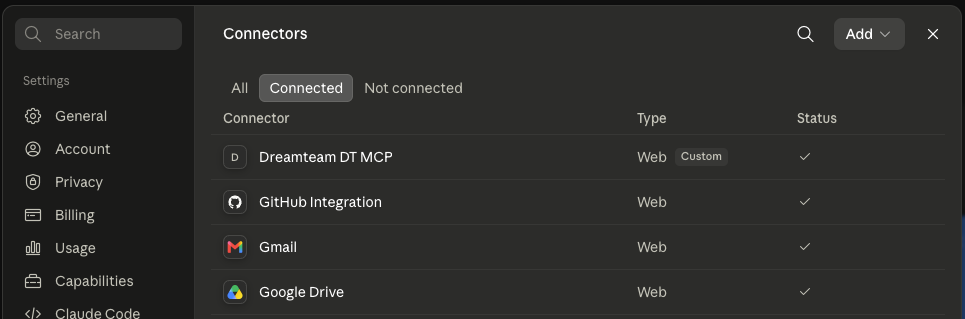
And, you're in - Your browser shows "Connected" and redirects you back to Claude. If it doesn't redirect automatically, click the Open desktop app button. Verify under Settings → Connectors - your connector should show as connected.
Permissions & Security
Tool Permissions
Click on your connector in Settings → Connectors to see the available tools. You can set each one to:
Always allow - AI uses it without asking
Ask every time - AI asks before each use
Deny - AI can't use it
Set Up a Shortcut for Your MCP
Tired of explaining your Dreamteam setup every time you start a new conversation? Create a slash command that does it for you. Just ask Claude:
"Create a slash command shortcut in ~/.claude/commands/ that maps to my connected Dreamteam MCP - call it /dreamteam. Then tell me to restart Claude so the shortcut loads."
After a quick restart, type /dreamteam at the start of any conversation and Claude knows exactly which CRM to talk to. No more preamble, no more "use my Dreamteam connector" every time. Just straight to work.
