Raj - your RevOps analyst
Last updated: October 13, 2026
Someone asks whether the quarter is going to land. You have forty open deals and about ten minutes.
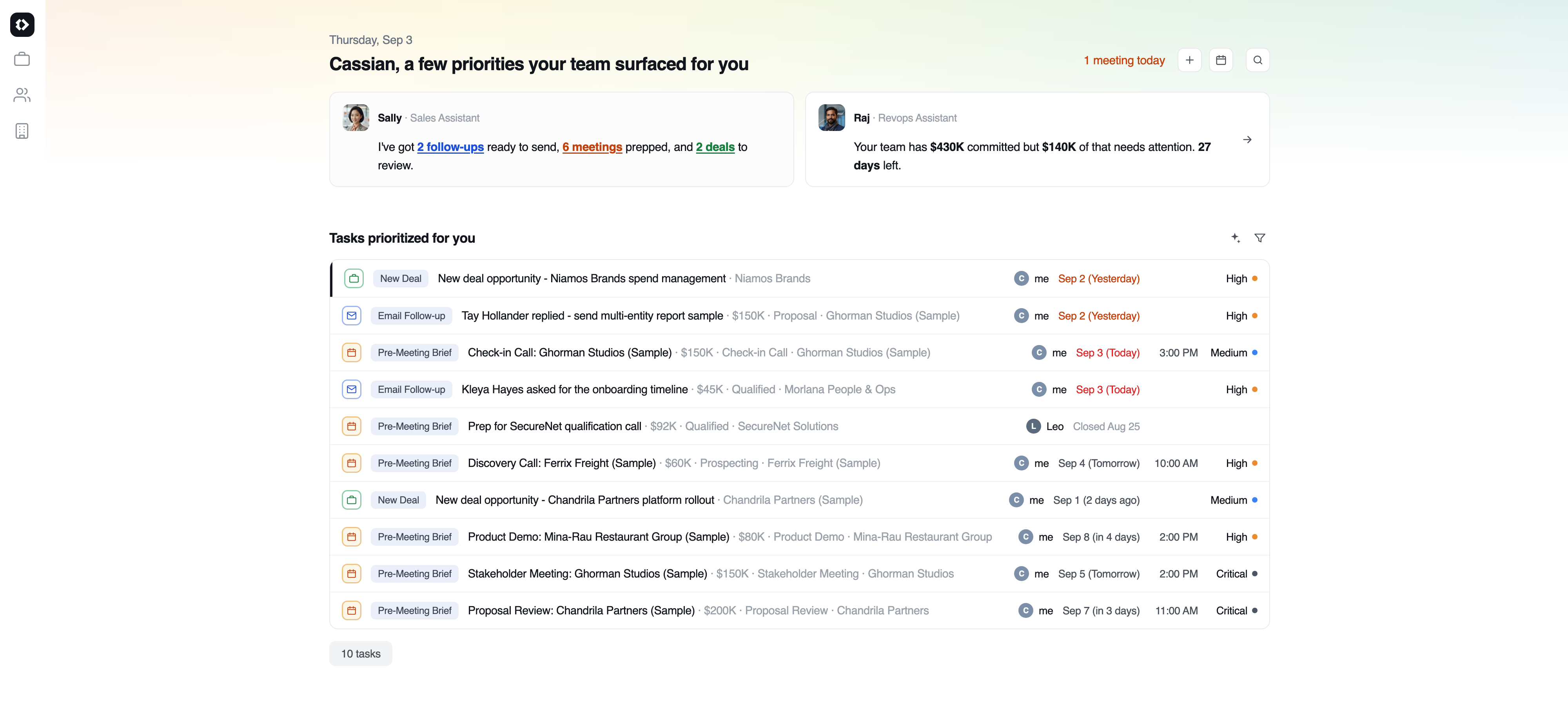
Raj is the assistant that reads your whole pipeline rather than one deal at a time. Where Rachel researches people and Sally works a single deal, Raj rolls the team up - what is strong, what is stalling, and what needs a conversation this week. You meet him in three places: a card at the top of My Day, the RevOps Health Check page that card opens, and Pipeline Insights behind it.
The RevOps Health Check
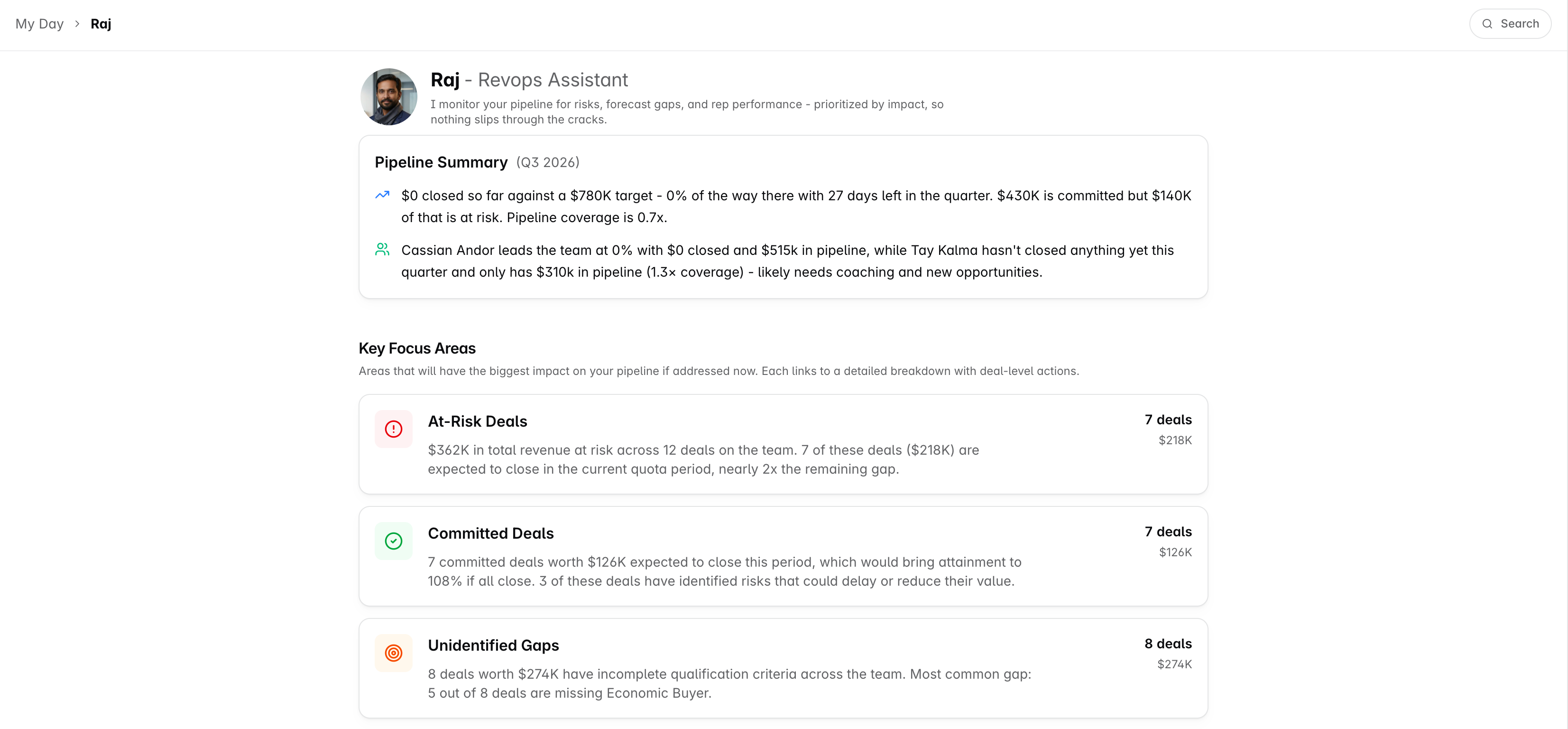
A Pipeline Summary for the period, then four cards: at-risk deals, committed deals, open qualification gaps and stage misfits, each with its numbers and a written read. Every card links into the matching Pipeline Insights tab, so the health check is the summary and Pipeline Insights is the detail behind it. Both are gated the same way.
Pipeline Insights is a manager view. Admins can open it, and so can anyone named as the manager of a team - including a Sales Rep, because manager is not a role you assign, it is a field on the team. A rep who manages no team lands on the deals board instead. An admin sees the roll-up across the whole workspace; a manager sees the people on the teams they manage. That is deliberate. It is the roll-up-the-whole-team view, not the work-my-own-deals view.
The five tabs
Across the top of Pipeline Insights:
Pipeline Review - the numbers on your whole pipeline. This is where you land.
At-Risk deals - what the AI has flagged as likely to slip.
Committed deals - what your team has said will close.
Unidentified Gaps - deals missing something they should have by now.
Stage Misfits - deals sitting in a stage that does not match what their activity says.
Every tab pairs its numbers with a short written read of them.
About those written reads. Each one is worked out when you open the view, over exactly the deals shown - never a stored note that might be describing last week's pipeline. Narrow the period and the summary narrows with it.
Pipeline Review - the whole quarter on one page
Four sections, each one collapsible so you can fold away whatever you are not looking at today.
Revenue Snapshot
Closed-won, commit and best-case for the period, set against your target. An Attainment % column appears once a target is configured.
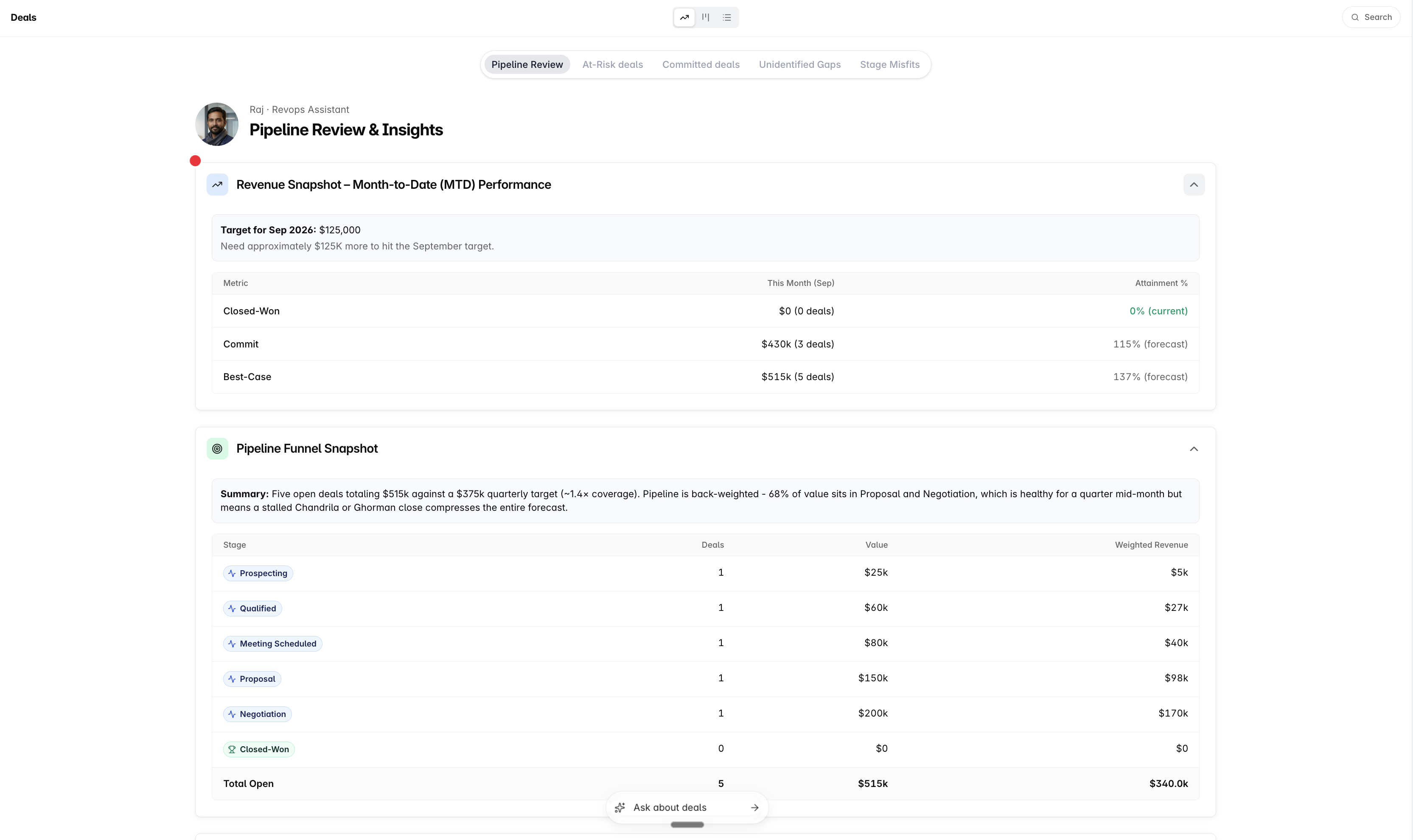
Pipeline Snapshot
A per-stage table - Stage, Deals, ARR, Weighted ARR - with a Total Open row at the bottom.
Weighted ARR is a stage's ARR multiplied by that stage's win probability. So a Negotiation stage holding $8.6K at 85% shows $7.3K. A stage with no win probability set shows a dash rather than a number, which is usually a sign the stage needs configuring.
Rep Performance Summary
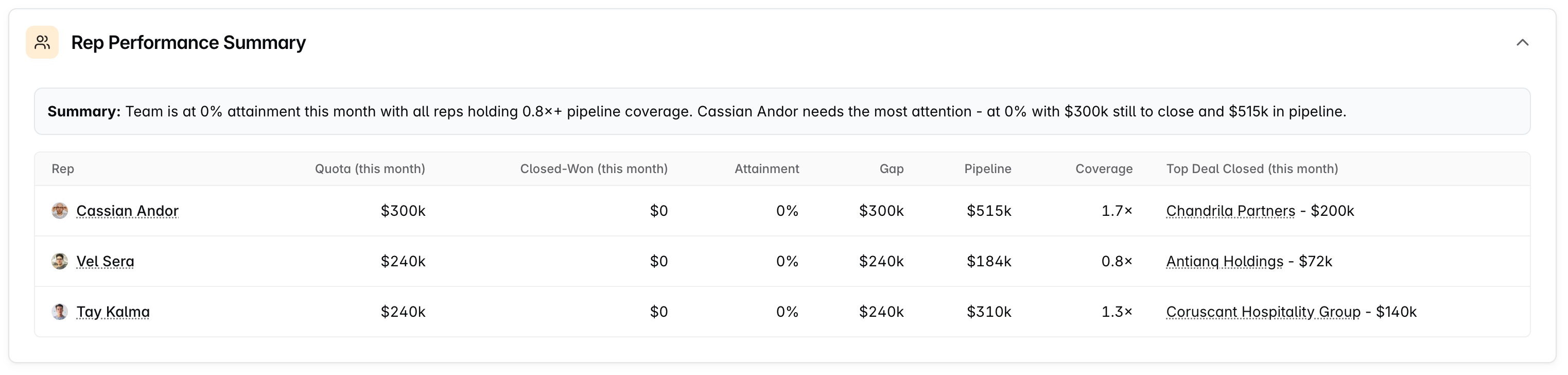
A row per rep: Quota, Closed-Won, Attainment %, Gap, Open Pipeline, Coverage, and the top deal they closed in the period.
If nobody on the team has a quota set, the table falls back to a shorter version - rep, closed-won, open pipeline and top deal - so it still tells you something.
Wins This Week
How many deals closed and what they were worth, then each one listed with its value, the rep who closed it, and the close date.
The four deal lists
Each of the other four tabs asks one question of your open deals.
At-Risk deals reads each deal's Risk field, and lists the ones marked High. Risk is written by the AI as meetings, calls and emails land on the deal. You can read it; you cannot set it.
Committed deals reads the deal's Forecast Category, and lists the ones set to Committed. This is the one your team sets by hand - the only one of the three that is not AI-maintained.
Unidentified Gaps lists deals carrying open qualification gaps against your deal qualification framework - the late-stage deal with no economic buyer named, and so on.
Stage Misfits compares the stage a deal is in with the stage its activity suggests, lists the ones that disagree, and gives a reason for each. The count above the table is of deals sitting behind where their signals point, which is the case that quietly understates your forecast.
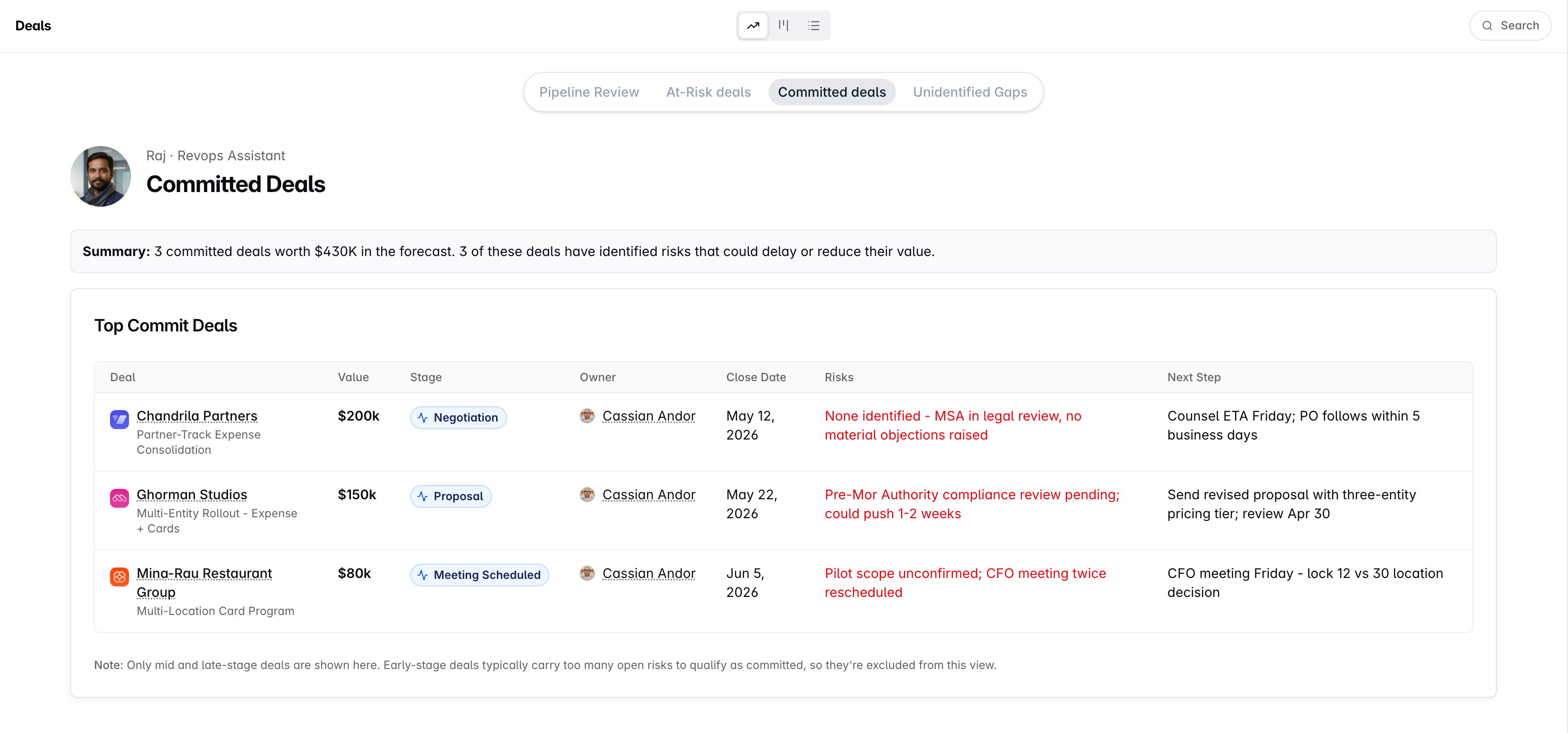
All three are scoped the same way: mid- and late-stage deals that are still open. Early-stage noise stays out on purpose, and closed deals never appear - a slip only costs you where there is still something to lose.
If you need help, reach out to us at gethelp@dreamteam.co.