Sally - your sales assistant
Last updated: September 10, 2026
You come out of a call, and there are four things you should do before the day gets away from you. Sally is the assistant that notices those four things and puts them somewhere you will see them.
She is a sales assistant, not an autopilot. Sally drafts and proposes; you review, edit and send. Nothing leaves your account because Sally decided it should.
Where Sally shows up
Sally works out of My Day. Everything she raises lands there as a card, with the draft or the brief already written, so the job is to read and decide rather than start from a blank page.
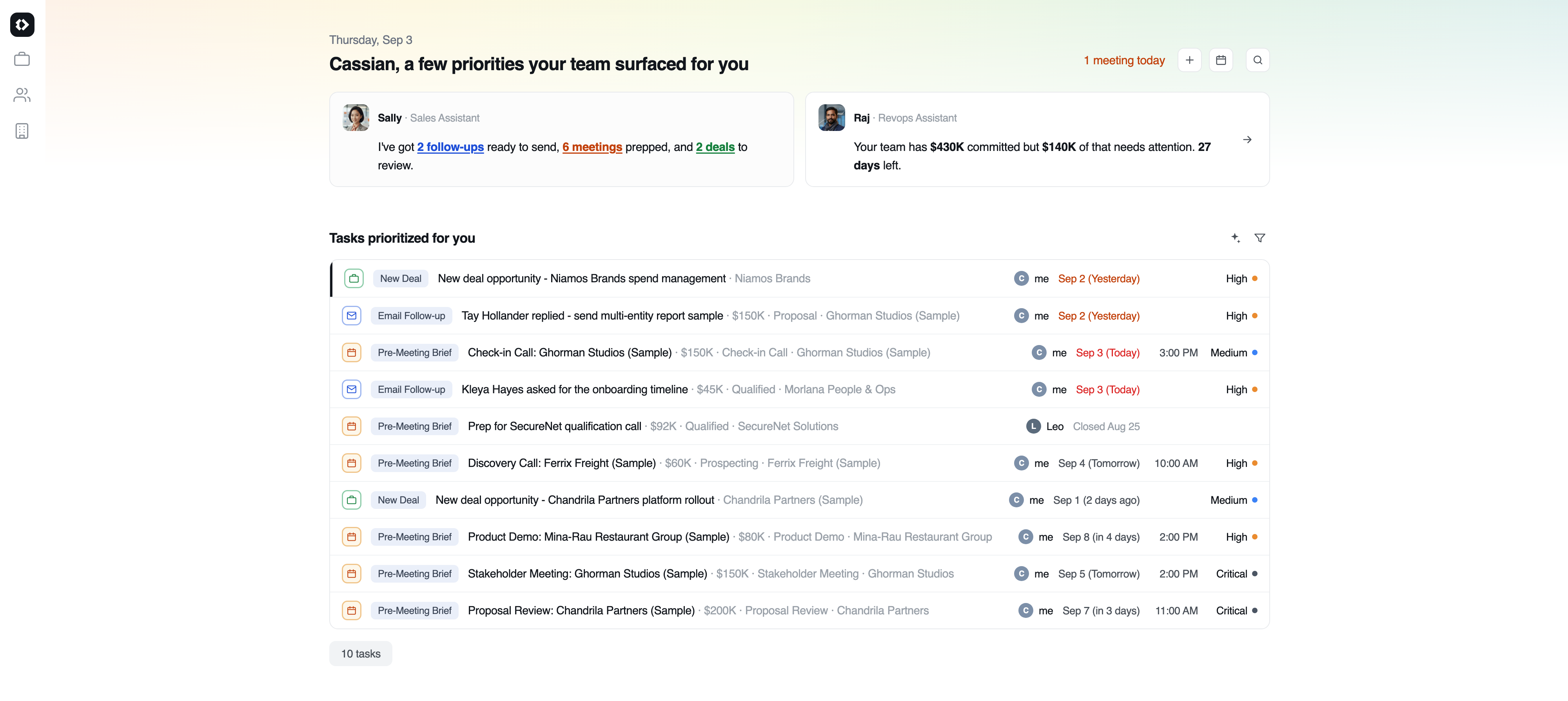
The six things Sally raises
What she raises | What it is |
|---|---|
Suggested Response |
|
Meeting Follow-up |
|
Pre-Meeting Brief |
|
Create Deal |
|
Update Deal |
|
Stalled Deal Follow-up |
|
Dismissing a card is a real signal, not just a way to clear it. Cooldowns and caps are built around dismissals, so telling Sally you are not interested makes her quieter about that deal rather than louder.
Changing the tone of a draft
Sally writes in the tone of the thread, but you do not have to accept it. The composer carries a wand in its action bar. Click it and a bar opens asking you to Describe your changes... Type what you want in plain language, press Enter, and the draft is rewritten in front of you.
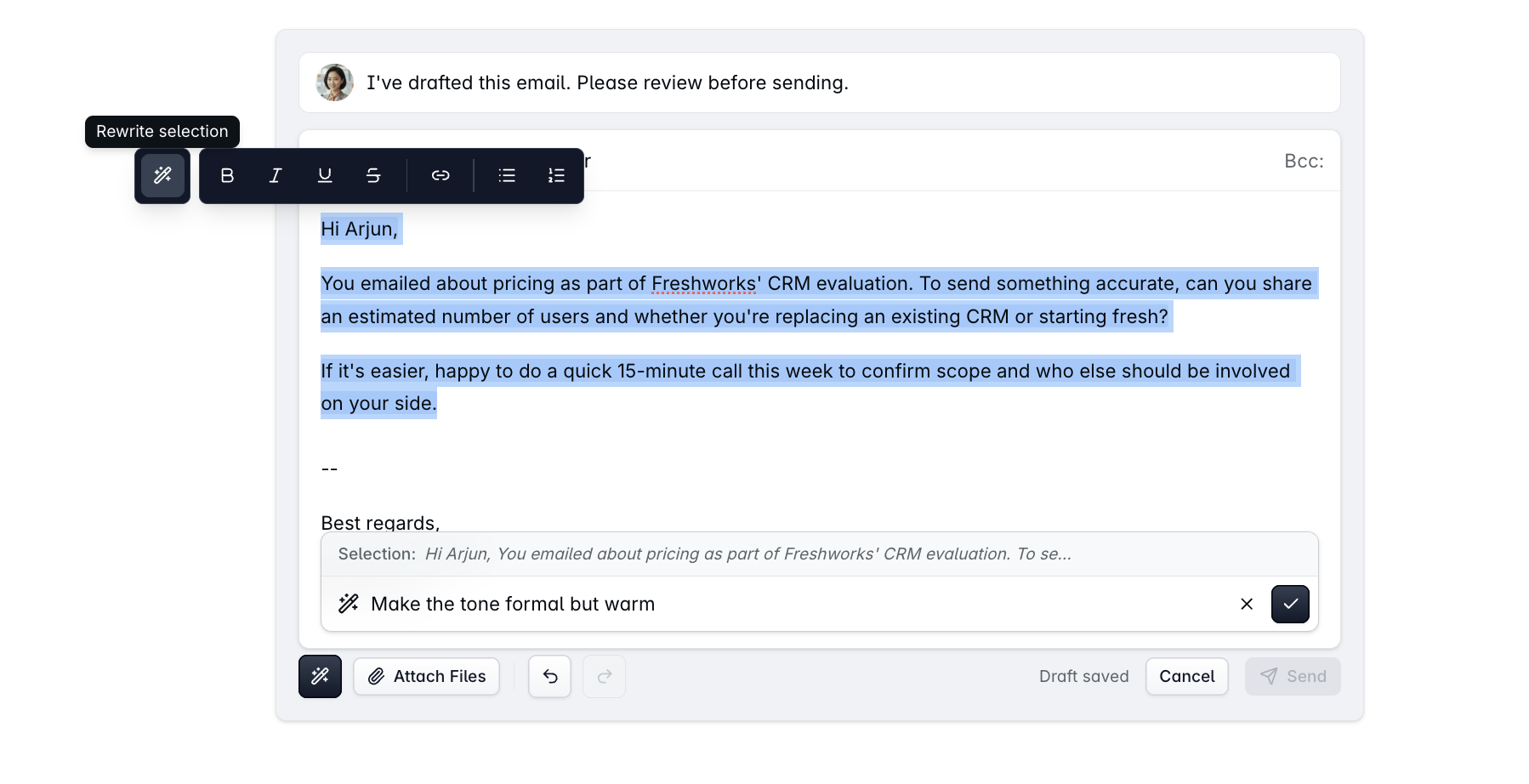
There are two ways to use it:
Rewrite message rewrites the whole draft. This is the one for instructions like warmer, shorter, less formal or more direct.
Rewrite selection appears when you highlight a passage first, and changes only that passage.
Enter runs it, Shift + Enter gives you a new line inside your instruction, and Escape closes the bar. The same wand sits in the ordinary email reply composer, not only on Sally's drafts.
This rewrites the draft in front of you. It does not teach Sally anything, so her next draft comes back in her usual voice.
FAQs
Will Sally send an email without me?
No. Every draft waits for you to read it, change it and send it. Sally writes; you decide.
A meeting happened but I got no recap. Why?
Sally writes the recap from the transcript, so no transcript means no recap. Check whether the recorder joined that call and whether the transcript finished.
I dismissed a card and it came back.
For a deal update, dismissing pauses that deal for three days rather than silencing it for good - the assumption is that something new has happened since. Stalled deal follow-ups are the opposite: dismiss one and that deal stops raising them.
Why is one deal generating cards and a similar one is not?
Most of Sally's cards need something to have happened - an email, a meeting, a transcript. A deal nobody has touched will produce a stalled-deal nudge and little else, because there is nothing new for her to read.
Can I turn a card off?
Dismiss it. There is nothing broader, because Sally cannot be configured. Settings > AI Assistants describes what each assistant does, and its Request a customization button sends us a note rather than changing any behaviour.
Can we change Sally's tone, or customise how she writes?
Not as a setting. Sally cannot be configured, and neither can Rachel or Raj.
What you can do is rewrite any individual draft: click the wand in the composer, describe the change in plain language, and press Enter. See Changing the tone of a draft above. If you want a lasting change, Settings > AI Assistants has a Request a customization button that sends it to us.
If you need help or assistance, reach out to us at gethelp@dreamteam.co.