Putting your products to work
Last updated: September 2, 2026
Products live in the Knowledge Hub, under admin settings, and only an admin can add or change them. If that is you, Configuring Knowledge Hub covers setting them up. Everyone else works with the catalogue that is already there - which is what this article is about.
Products are how Dreamteam reasons about what you sell and who it suits. They are not a price list: the money for a specific opportunity lives on the deal's Amount. What products drive is fit scoring, deal setup, and the sales narrative your AI assistants write.
What a product record holds
Name - required, and unique. No two products share one.
Offering and value proposition - what it is and why it wins.
ICP - the ideal customer profile it is meant for.
Others - a catch-all for anything that does not fit above.
Where products show up once they exist
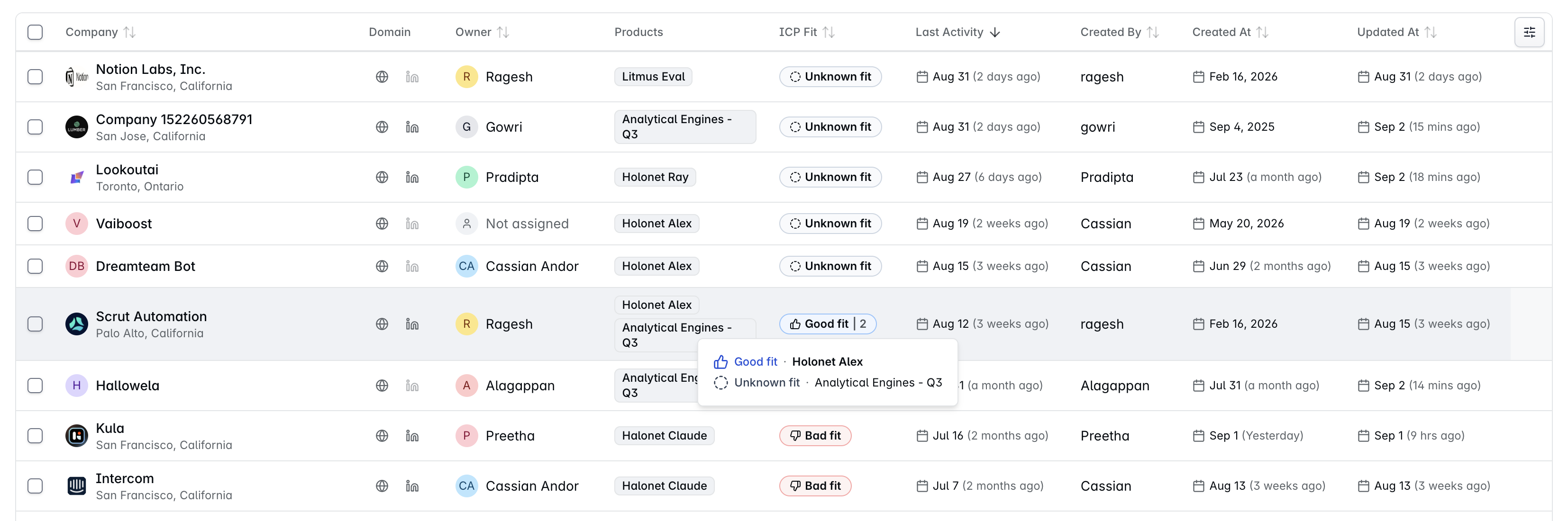
On a company
A company carries the products it uses or fits - more than one is normal. This is the mapping that does the work, because it is what ICP scoring reads.
Changing which products a company has re-scores that account's ICP fit. If a company's fit rating looks wrong, its product mapping is the first thing to check.
On a deal
A deal carries the products the opportunity is for, and it does not start empty: a new deal inherits the products mapped to its company automatically. Nothing forces a deal to have one, but a deal without products gives the AI nothing to reason about - which is why setting them as you create the deal is the habit worth building.
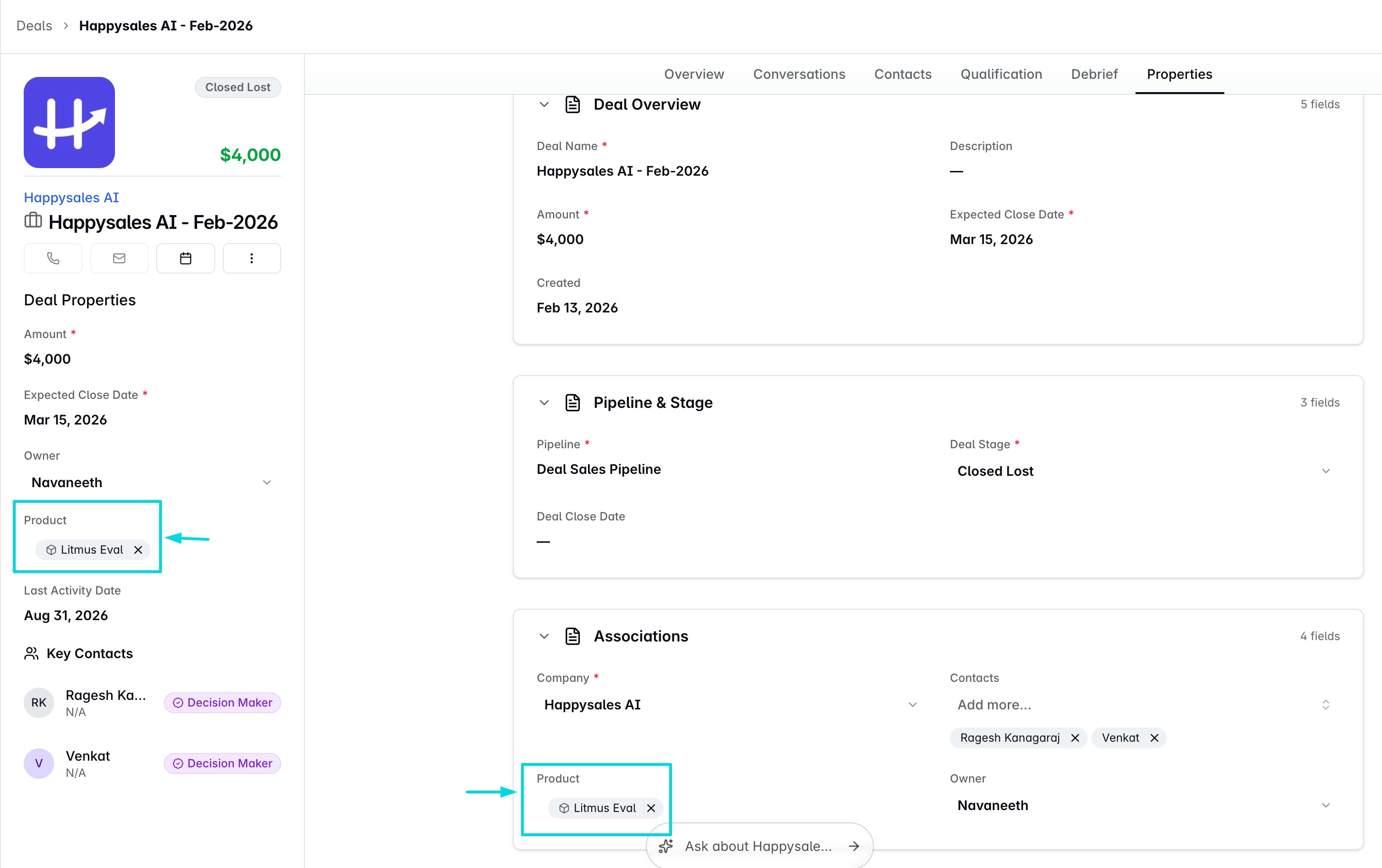
It works backwards once, too. Create a deal for a company that has no products yet and the deal's products are copied onto the company - which re-scores its ICP fit. Once a company has its own products, they stay put; a later deal will not overwrite them.
FAQs
A deal has no products. Where do I fix it?
At the company, usually. If a deal has none, its company probably has none either - map them there and the deals that follow inherit them.
Can I add a product myself?
Only if you are an admin. The catalogue is admin-only, in the Knowledge Hub. Everyone else maps existing products onto companies and deals.
Where do I put pricing?
Not on the product. The value of a specific opportunity goes on the deal's Amount field. Products describe positioning and fit, not price. But you can mention any regular pricing within the Product configuration inside Knowledge Hub.
Do I have to put a product on every deal?
No, it is not mandatory, and you can add one at any point. It is worth doing anyway: ICP fit cannot be worked out without products, and your research AI assistant Rachel has nothing to work from when suggesting where an account fits or which value proposition to lead with. Adding them as you create the deal is the best habit - though most deals get there on their own, by inheriting from the company.
A company's ICP fit looks wrong. What do I check?
Its products. ICP fit is scored from the products mapped to the company, so an account with the wrong products - or none - will score oddly. Correct the mapping and it re-scores.
If you need help or assistance, reach out to us at gethelp@dreamteam.co.