Autopilot - first-touch emails for your new leads
Last updated: October 26, 2026
Autopilot - first-touch emails for your new leads
Somebody fills in the form on your website at twenty past eleven at night, your time. You are asleep. They are nine and a half hours behind you, in New York, where it is early afternoon - and they are still at their desk, filling in two more forms on two more websites.
Autopilot is what reaches them while they are still sitting there. It sends a short run of emails to your new leads, and it sends them inside the lead's working day rather than yours. So a lead in New York hears from you during a New York afternoon, whether or not anybody on your team is awake. You decide how many emails go out and how far apart, and whether you write the first one yourself.
Autopilot is yours, not your workspace's. You switch it on for yourself, you build your own sequence, and it only ever works the leads you own. Nobody else's Autopilot touches them, and yours never touches anybody else's.
Turning it on
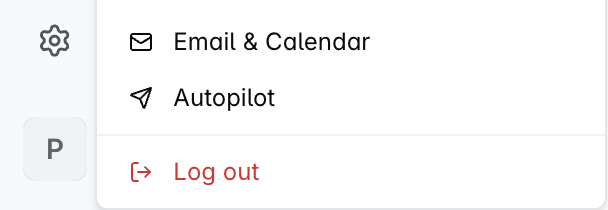
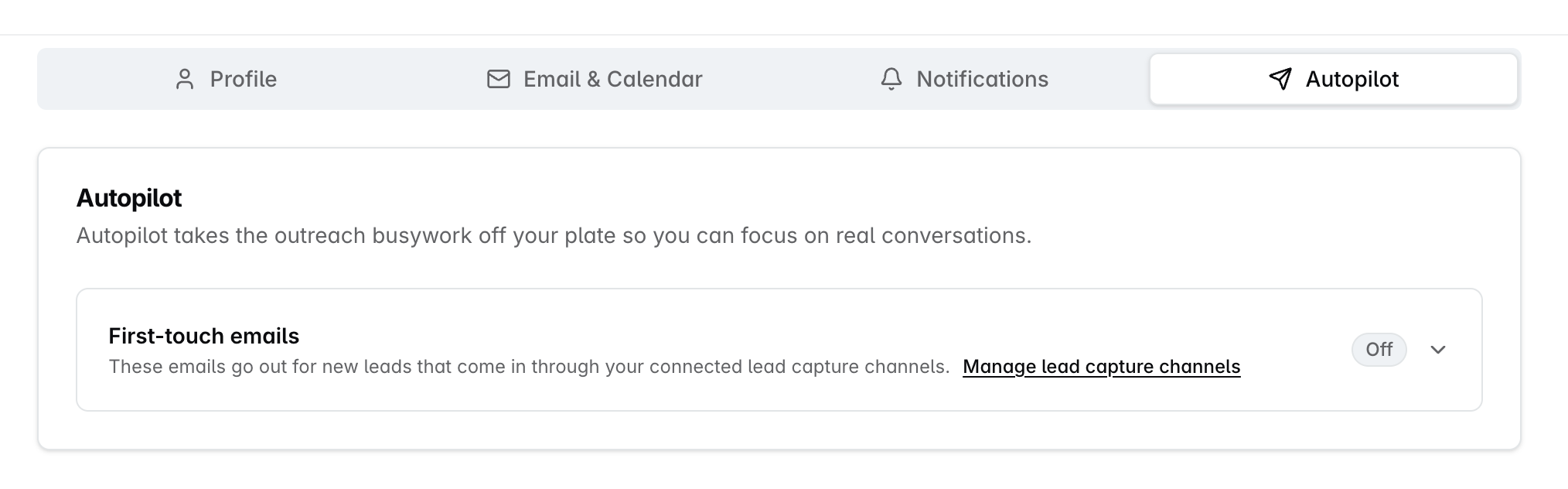
Click your avatar at the bottom-left of the screen and choose Autopilot. It is also a tab across the top of your personal settings, beside Profile, Email & Calendar and Notifications.
The screen holds one card, First-touch emails. It is off until you turn it on, and switching it on asks you to confirm, because from that moment email leaves your mailbox without you pressing send.
Autopilot sends from your own mailbox, in your own name, with the signature from your profile, so your email has to be connected before anything can go out.
What you control
Setting | What it does | Limits |
|---|---|---|
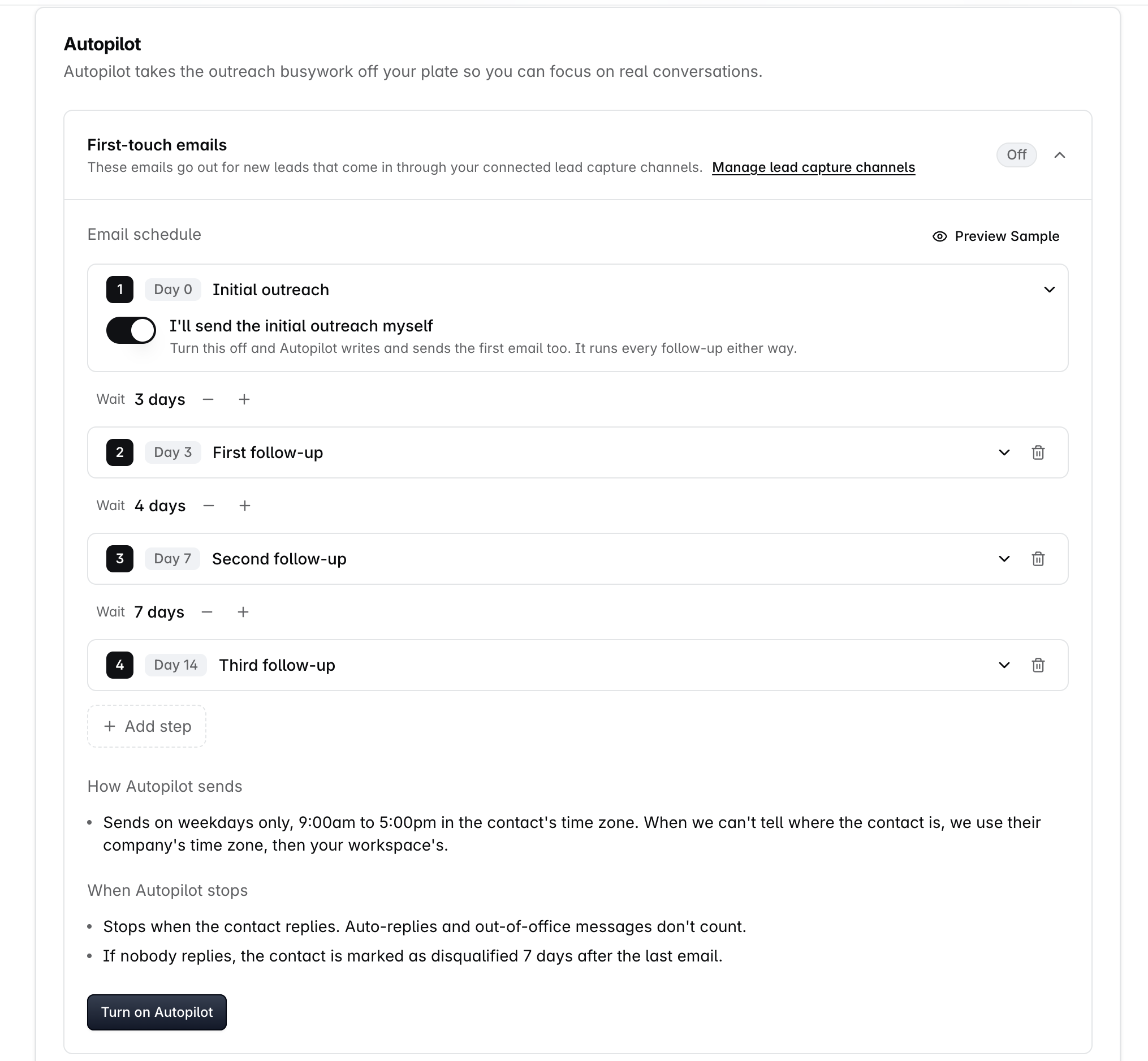
Number of emails | How many emails the sequence sends in total | 2 to 5 |
Wait before each follow-up | How long Autopilot leaves between emails, set in whole days with the plus and minus controls | 1 to 30 days. A step you add starts at 3 days |
I'll send the initial outreach myself | Decides whether you or Autopilot sends the opener | On to begin with |
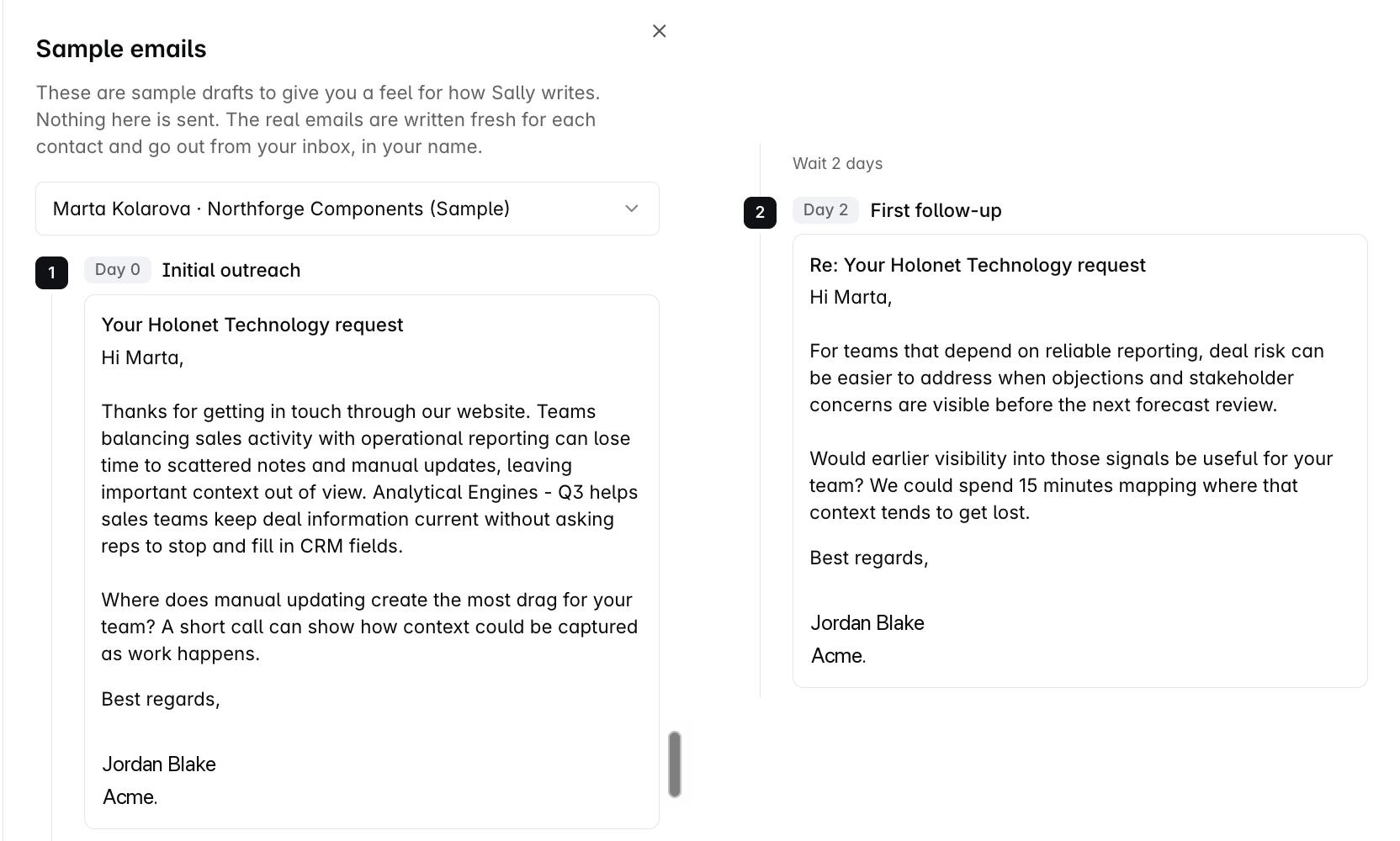
Preview Sample | Opens the Sample emails panel so you can read the sequence before you commit, with a picker to switch between three different leads | Reflects your own steps, waits and signature |
The default schedule
If you never touch the screen you start with four emails, landing like this:
Lands on | Waits | |
|---|---|---|
1 Initial outreach | Day 0 | Goes out as soon as the lead arrives |
2 First follow-up | Day 3 | 3 days |
3 Second follow-up | Day 7 | 4 days |
4 Third follow-up | Day 14 | 7 days |
A wait counts from the previous email that actually went out, not from the day the lead arrived. So shortening or removing a middle step re-times everything after it from the email the lead really received, rather than leaving a hole where the removed step used to be.
I'll send the initial outreach myself | What happens |
|---|---|
Left on, which is how it starts | You write and send the opener in your own words. Autopilot takes over from the second email, and the clock starts when you actually send yours - a first-email task left sitting holds the rest of the sequence behind it |
Switched off | Autopilot writes and sends the opener too, and the whole sequence runs without you |
Autopilot runs every follow-up either way.
What you do not control is the wording:
Each email is written by Sally, your sales assistant for its own lead at the moment it sends, using what the CRM knows about them and about what you sell. It goes out from your own inbox, in your name.
Every step has a job - a fresh angle, what your product does about it, a short ask - and the last one closes the loop and leaves the door open. The settings screen shows you what each step will cover.
There is no template to fill in and no subject line to set. You control the shape of the sequence; the wording is written per lead.
When the emails go out
Rule | What it means |
|---|---|
Weekdays only | Nothing goes out at the weekend |
9:00am to 5:00pm | Read in the lead's own time zone, not yours |
Late in the day | The last emails of the day go out in the late afternoon. A lead that becomes due after that waits for the next working morning |
Late on a Friday | Waits until Monday at 9:00am |
A brand-new lead | There is a pause of about 30 minutes after the lead becomes active before the first email, so research can run and the opener has something real to say |
That window is read in the lead's time zone, never yours. Autopilot works out which zone that is by taking the first answer it finds:
The lead's own record. It needs a country it recognises - without one it goes straight to step 2. For the United States, Canada and Australia it reads the state or province first, then the city. Every other country is decided by the country alone.
The same fields on the lead's company, when their own record gives nothing.
Your workspace's time zone, when neither does.
Your own profile time zone is not part of that chain, by design. The window exists to reach the lead during their working day, not yours.
Fill in the state for your US, Canadian and Australian leads. A lead with a country but no state or city falls back to that country's default zone, and for the United States that is Eastern time - three hours out for a lead in California.
Which leads Autopilot emails
Three things have to be true:
The lead is owned by you.
The lead came in through one of your lead capture channels - the connected web forms that create a record when somebody fills them in.
The lead's status is New or Working. A sequence ends as soon as it becomes anything else.
Seeing a lead is not the same as owning it. Depending on how record visibility is set in your workspace you may be looking at your whole team's leads, but Autopilot follows ownership. A lead owned by a colleague is worked by their Autopilot, on their schedule, from their mailbox - whether or not you can see it, and whether or not yours is on.
The source decides how a lead is worked, not whether it is worked:
Where the lead came from | How it gets worked |
|---|---|
A connected lead capture form | Autopilot emails it for you, on the schedule you built |
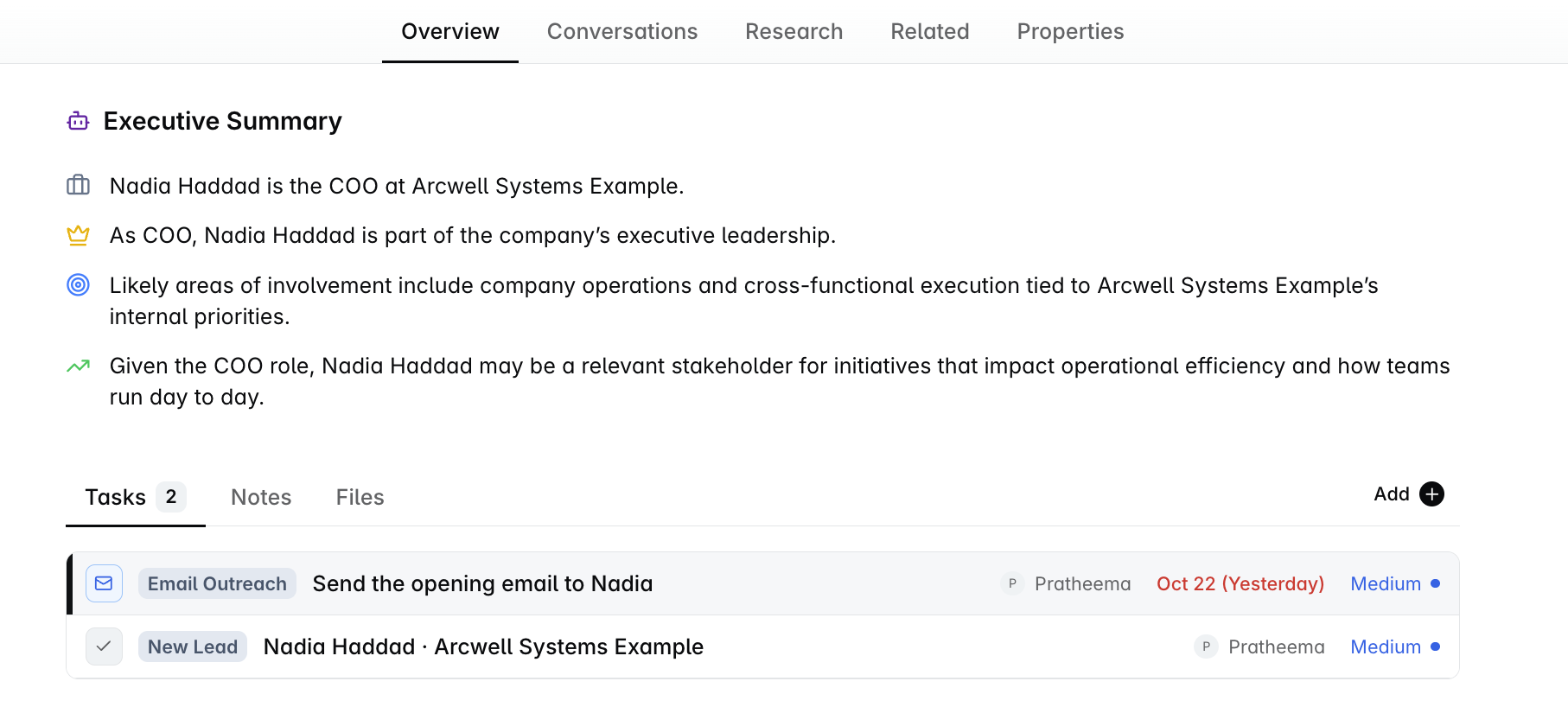
Added by hand, brought in on an import, typed up from a business card, or pushed in from another system | Worked as a task instead - three steps, landing on day 0, day 3 and day 8, each one putting an email in front of you to send rather than sending it for you |
And a sequence starts when a lead arrives at a working status, not every time the status moves:
What happens | Does a sequence start? |
|---|---|
A lead is created and sits at New or Working | Yes |
You pick a lead up out of your contact book | Yes |
A disqualified lead is moved back to New | Yes, a fresh one |
A lead already in a sequence moves between New and Working | No. That is you working the lead, not a new lead arriving |
On the contact record
What you see | What it tells you |
|---|---|
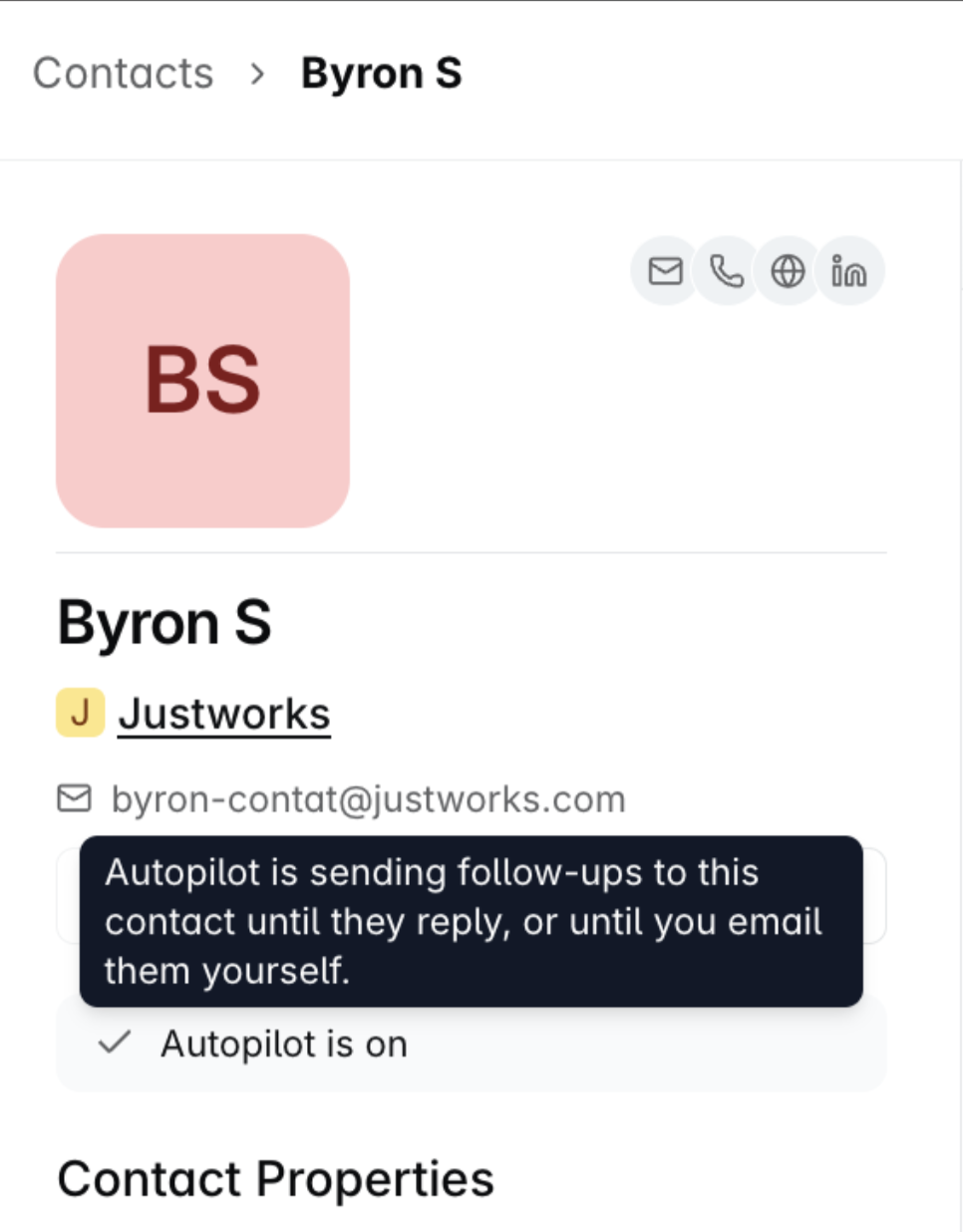
A row reading Autopilot is on | Mail is still going out for this contact without you. It clears the moment the sequence ends |
The emails in the contact's activity | Exactly what has been sent so far, logged like any other email |
No step number, and no stop button | The row answers one question only: is mail still going out? There is no per-contact stop today |
Stopping and changing
A lead part-way through a sequence is neither restarted nor abandoned:
What you do | What happens to a lead part-way through |
|---|---|
Switch Autopilot off | Automatic sends stop. The lead keeps its place and its remaining steps come back to you as tasks to send by hand. If two emails have already gone, you get the steps after those, not the whole run again |
Switch it back on | The lead returns to automatic sending at the step it had reached |
Shorten or lengthen a wait | Only the steps that have not sent yet are re-timed. Emails already sent are untouched |
Add or remove a step | The remaining emails take their job from their new position |
When it stops on its own
What happens | What Autopilot does |
|---|---|
The lead replies | Stops |
The lead reaches Connected or Meeting booked | Stops, because a person now owns the conversation |
The lead reaches Qualified or Disqualified | Stops |
The lead leaves the pipeline | Stops |
Every email has gone and nobody replied | The lead is marked Disqualified 7 days after the last email. It still shows as on Autopilot while it waits those days out |
Autopilot watches for a reply from the lead's own address, not for activity on the thread. That distinction decides what counts:
What lands on the thread | Does it stop Autopilot? |
|---|---|
A message the lead wrote themselves, from their own address | Yes |
An out-of-office from the lead's own address | No. It is recognised from the message headers and ignored |
A bounce notice, or a colleague's auto-reply | No. Neither comes from the lead's own address |
FAQs
Why does Autopilot not email leads I imported?
Deliverability. An import can land a thousand contacts at once, and they would all become due at once. If some of those addresses are stale and bounce, the damage lands on your own email domain's reputation, which affects every message your team sends afterwards - not just the automatic ones.
A lead who has just filled in your form arrives one at a time and has raised their hand, so it carries none of that risk. Imported leads are still worked, as tasks.
Are the three leads in Preview Sample real contacts?
No. They are made up. They are not pulled from your CRM, they are never saved as contacts, and no email is ever sent to them.
The set belongs to your workspace, so everyone there sees the same three, and it is written using your workspace's own products - which is why the examples name something you really sell.
I want to take one lead off Autopilot. What are my options?
Two, and both work today:
Move that lead's status out of New or Working, which ends its sequence on its own and leaves everyone else running.
Switch Autopilot off, which turns the remaining steps for all of your leads back into tasks for you.
Can I point Autopilot at a filter, a saved view or a list of my own?
No. The rule is fixed: the leads you own, that came in through your lead capture channels. There is no way to narrow it further or to send it after a set of leads you have picked out.
Can I run more than one sequence, or a different one for a different kind of lead?
No. Autopilot covers the first approach only, and you have one sequence. There is no nurture track, no branching, and no second sequence.
Can I change the hours or the days it sends in?
No. The window is fixed, and so is the time zone it is read in. Neither can be changed, per person or for the workspace.
My teammate and I both have Autopilot on. Can a lead get both our sequences?
No. A lead is worked by whoever owns it, so it follows one sequence only. In a team where three people have Autopilot on with three different sequences, every lead follows its own owner's.
What happens if a lead is reassigned part-way through a sequence?
The whole thing hands across rather than being copied. The previous owner's outreach task closes, with the handover recorded on it as the reason, and nothing further goes out from their mailbox for that lead.
The step the lead was owed is re-issued under the new owner - as an email if they have Autopilot on, as a task if they do not. The lead keeps its place: steps already sent are not repeated, nothing is skipped, and no new clock starts.
What happens to a lead nobody owns?
It is never emailed automatically, because there is no mailbox to send from. It takes the task path instead, and starts being worked properly once somebody owns it.
A lead has just arrived and nothing has been sent. What should I check?
Check | What to do |
|---|---|
Has it been less than half an hour? | Wait. There is a short pause before the first email while research runs |
Did the lead arrive outside the sending window? | Wait for the next working morning |
Is your email connected? | Connect it under Email & Calendar. Until you do, the sequence waits and checks again about once an hour - nothing is lost, and nothing is sent |
Do you own the lead? | Autopilot follows ownership, so check the owner on the record |
Did the lead come in through a lead capture channel? | If it arrived another way, look for an outreach task instead of a sent email |
If you need help, reach out to us at gethelp@dreamteam.co.