Deleting records - and what you can't get back
Last updated: October 13, 2026
Cleaning up a messy CRM feels good right up until you delete the wrong company. Dreamteam makes you type DELETE before it will let you, and that is not decoration - there is no trash, no undo, and no restore.
Deleting a contact, company or deal is permanent. Support cannot recover it for you. If you are unsure, export the record first from the list view.
Deleting one record
Open the record and use the action bar on the left - the delete option sits at the bottom. The confirmation that appears is worth actually reading, because it tells you what goes and what stays, and the two are not obvious.
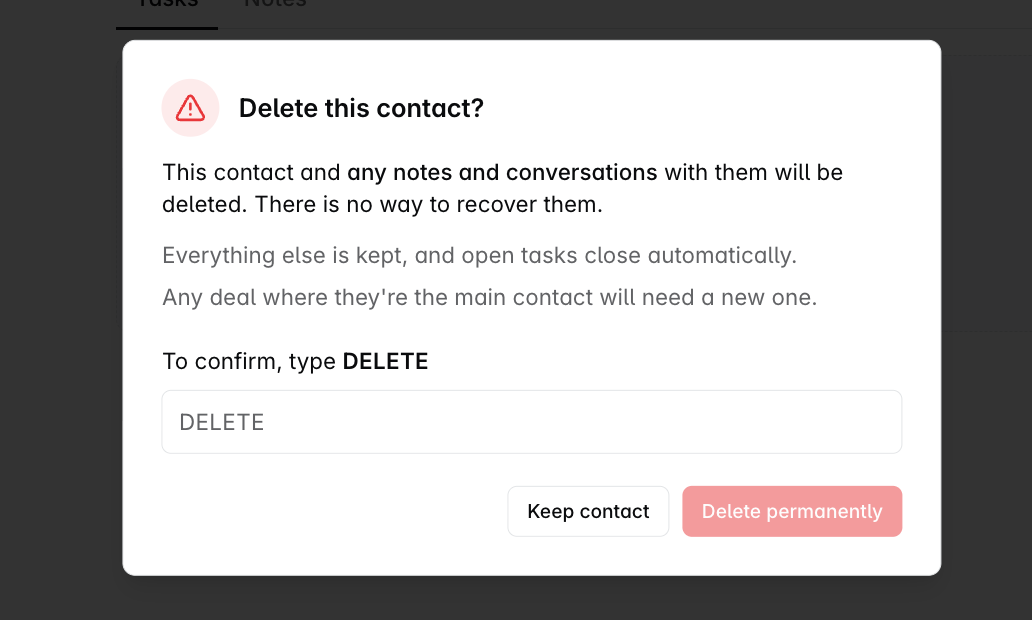
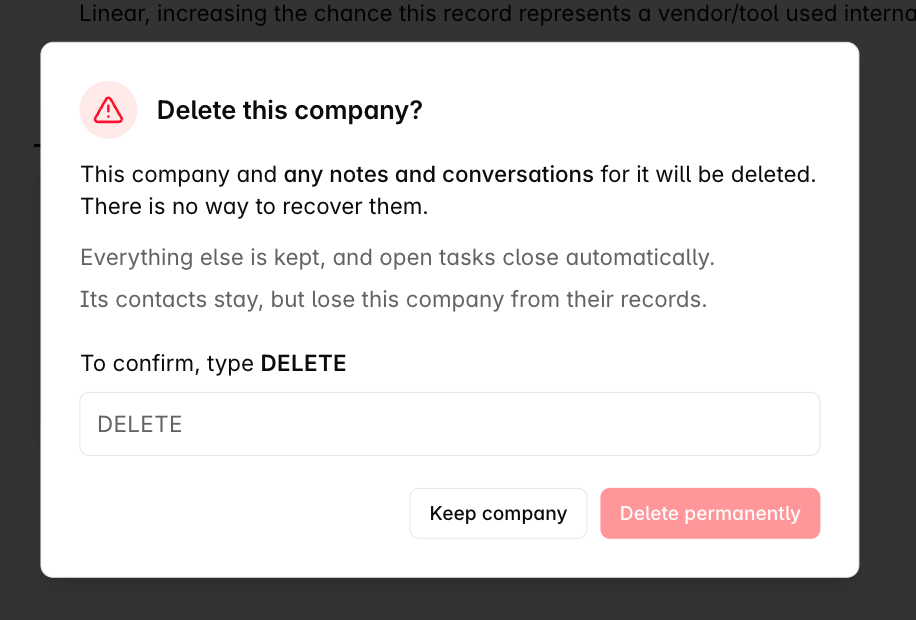
The dialog is headed Delete this contact?, Delete this company? or Delete this deal?, and what it lists changes with the record.
Deleting a contact
Their notes go with them. A note is written about one record, so it goes when that record goes, with no way to recover it.
Their AI brief and summary go too. Whatever Dreamteam had worked out about them is dropped along with the record.
Meetings and recordings are kept. A call or meeting they were on stays with the people and records that remain, and simply stops listing them. It goes only if you delete that meeting itself.
Email conversations are kept while the conversation still involves a record that exists, which is normally the case, because a conversation with a contact also carries their company.
Tasks are kept unless the contact was the only record a task was attached to, in which case that task goes too. Most survive, because a task raised on a contact picks up that contact's company when it is created.
Their company and deals stay. A deal where they were the main contact needs a new one; the deal survives, the assignment does not. Being on an open deal does not stop you deleting them.
Deleting a company
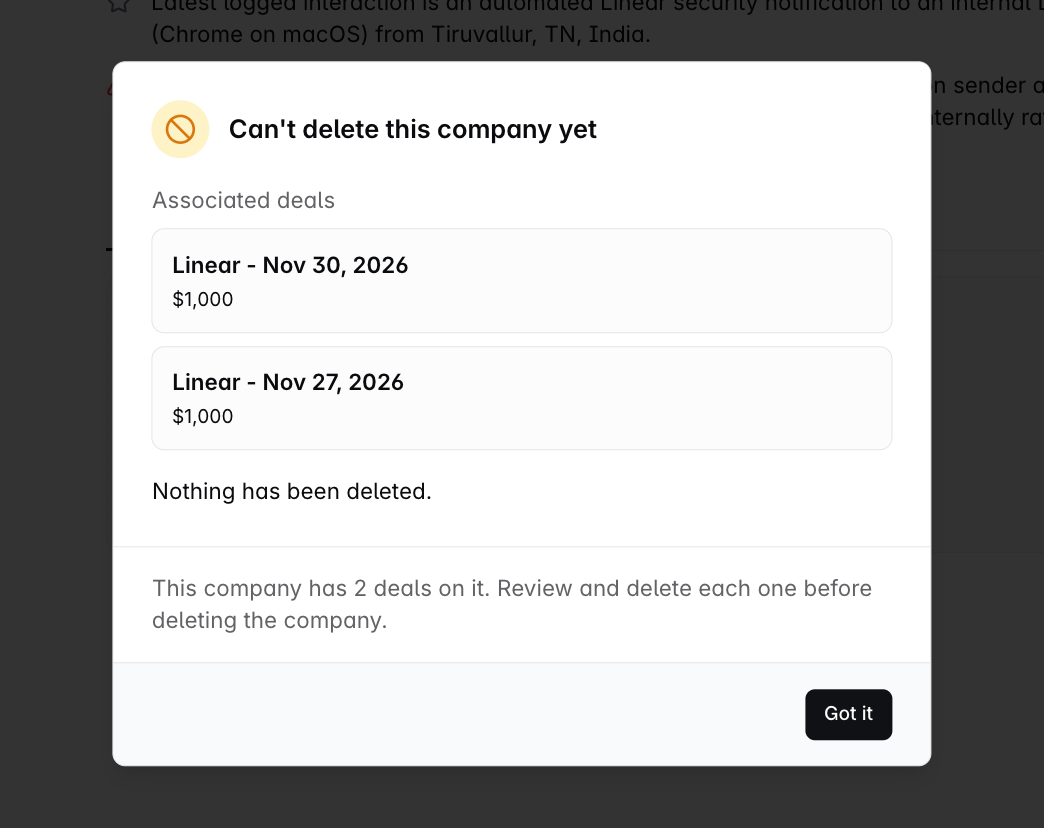
A company has a step the other two do not. If it still has a deal on it, open or closed, won or lost, you never reach the delete confirmation at all. A different dialog appears instead, headed Can't delete this company yet.
It lists the deals that are in the way, with their values and stages, and tells you plainly that nothing has been deleted.
There is no way to force it and no override. This is a guard rather than a fault: deleting a company out from under its pipeline would leave those deals with nothing to belong to. Delete or move each deal first, then come back to the company.
Once the company has no deals on it, you get the normal confirmation. Deleting it removes the company, its notes, and its AI brief and summary. Its contacts are not deleted. They stay, keep their own notes, tasks and history, and simply lose this company from their records. Meetings, recordings and conversations tied to the company or its people are kept.
Deleting a deal
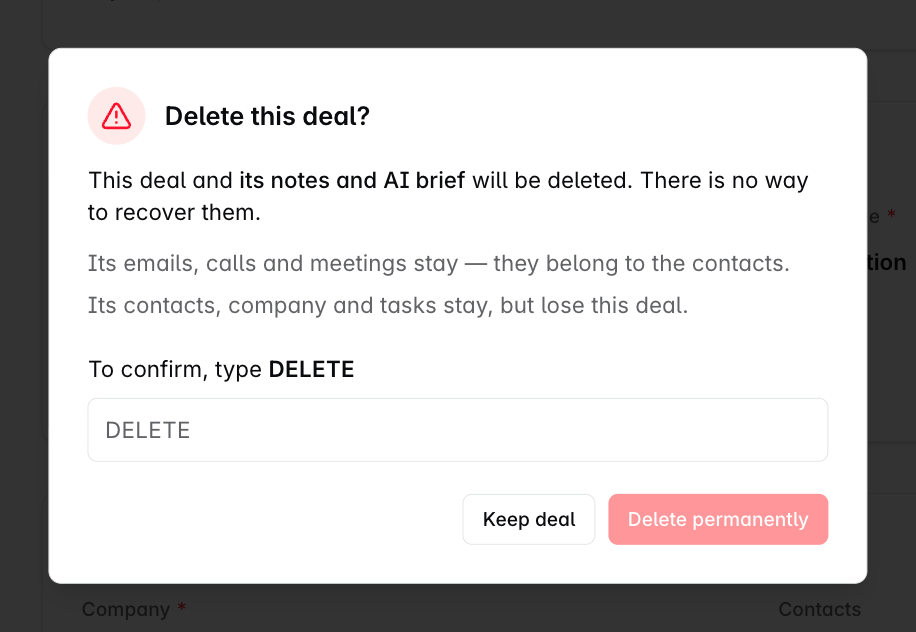
This one is narrower than the other two, and the dialog says so: only the deal's own notes and AI brief are deleted. Its emails, calls and meetings stay, because they belong to the contacts rather than to the deal. Its contacts, company and tasks stay too, and simply lose this deal from their records.
The exclusion list checkbox
When you delete a contact or a company, the dialog offers an extra option: Also add [name] to the exclusion list.
This is the one that saves you doing the job twice. Without it, email sync can quietly recreate the record the next time that person emails anyone on your team. Tick it and, in the product's own words, "Future messages from this sender won't sync into your inbox or re-create this record."
Deleting a spam sender, a recruiter, or a vendor who keeps reappearing? Tick the box. Deleting a real customer contact who left the company? Leave it unticked - you probably do want their replacement to sync normally.
Confirming
Read what the dialog says will be deleted.
Type DELETE in the field - in capitals, exactly.
Delete permanently stays unavailable until you do. The other button keeps the record, and that is the one to click if anything above surprised you.
FAQs
I deleted something by mistake. Can you restore it?
No. There is no restore in the product and support cannot recover a deleted record. You would need to recreate it, and its notes, tasks and past activity will not come back.
If I delete a company, do its contacts get deleted too?
No. Contacts, companies and deals are independent records. Deleting a company leaves its contacts and deals in place - they simply lose the company association, and you can link them somewhere else.
What happens to emails and meetings on a deleted record?
Both are kept. Deleting a contact, company or deal never removes a meeting, a recording or an email conversation - they stay with the records that remain and simply stop listing the one you deleted. A meeting goes only if you delete that meeting itself.
Why did a contact I deleted come back?
Almost always email sync. If that person emails anyone on your team, Dreamteam creates the contact again. Delete them with Also add to the exclusion list ticked to stop that.
Can I delete a pipeline stage the same way?
Stages work differently - a stage that still has deals in it cannot be deleted at all. Move or close the deals first. See Setting up your Sales Pipeline and Stages.
If you need help or assistance, reach out to us at gethelp@dreamteam.co.