Billing - what you pay for Dreamteam
Last updated: November 8, 2026
Billing - what you pay for, and what happens if a payment fails
Dreamteam is priced per person, billed monthly, and there is nothing to configure to make it work. Your trial runs first, nothing is charged while it does, and the subscription picks up from there.
$79 per user, per month.
Every user includes one AI credit pack, which is what your assistants draw on when they research a lead, draft an email or summarise a call.
You are charged only for people who have accepted their invitation. Invitations are free, and Viewers are free.
How your trial becomes a subscription
In order, this is the whole of it:
Your trial is running. Add as many people as you want. Remove them again if you want. Nothing is charged while the trial is on, and there is no limit to work around.
Three days before it ends, every admin gets an email. If a card is already on file it names the card that will be charged. If there is no card yet, it asks for one.
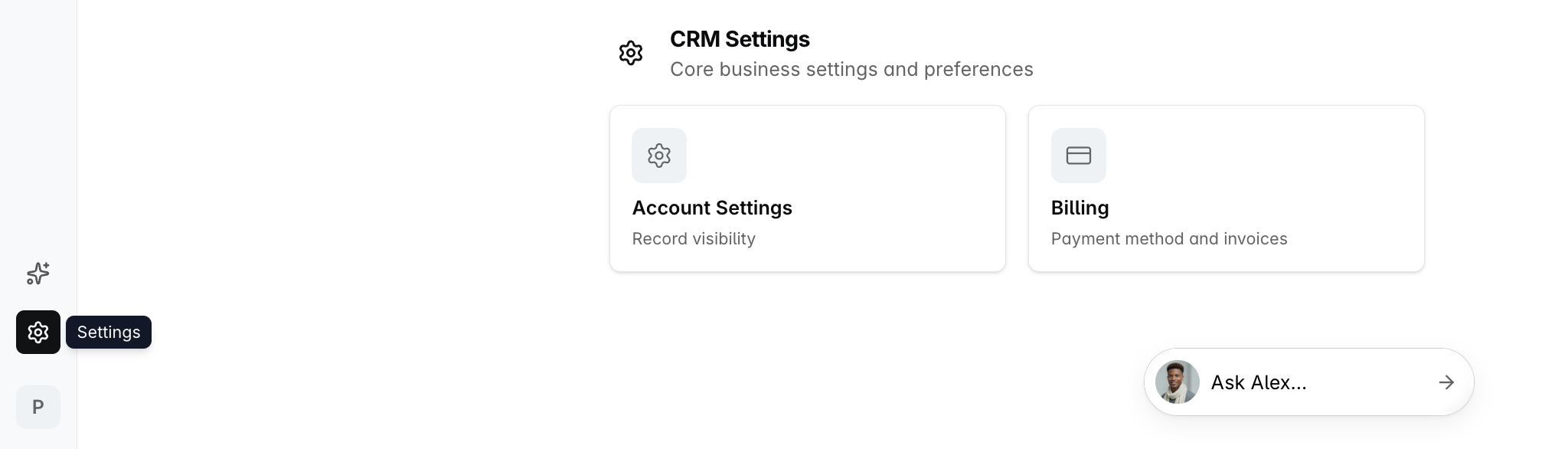
Add a card any time before the trial ends. Settings, then Billing. You can do this on day one or on the last day; it makes no difference.
The trial ends and the subscription starts. The card is charged after the trial end date, for the people who are active at that point. Nothing else is needed from you.
If the trial ends and no card has been added, the workspace becomes read-only until one is. Nothing is deleted. Every record, note, meeting and file stays exactly where it is, everyone can still sign in and read, and adding a card restores full access on its own. There is more on what read-only means below.
Where to add a card
Open Settings, then Billing. You will find one button, Manage billing, which opens our payment provider's page in a new tab. That is where you:
add a card, or replace the one on file
pay an invoice that is still open
download past invoices

Invoices and receipts are not kept inside Dreamteam. They live on that payment page, so Manage billing is the route to any invoice you need, past or present. Receipts and card-expiry warnings are emailed by the payment provider to the billing address on the account.
Billing opens for admins only. Anyone else is told so, and cannot see the amounts, the card or the invoices.
What you are charged for
Line on your bill | What it counts |
|---|---|
Seats | One for every active person in your workspace. Viewers are free and never counted. Nobody types this number in; it is read from who is active |
AI credit packs | What your assistants draw on. One pack per user is included in the $79. Extra packs are added by asking us |
There is no licence to buy and no pool to top up. The count is simply the number of active people in your workspace, and it looks after itself:
Inviting somebody costs nothing. An invitation nobody has accepted is not charged.
The charge starts when they accept and become active.
Deactivating or deleting somebody reduces it immediately. You are credited for the part of the month they will not use, and that credit comes off what you owe next.
A Viewer is never charged. The free read-only role sits outside the count, so adding or removing one changes nothing. Moving somebody between Viewer and a paid role does.
Billing never blocks a change to your team. Adding somebody is never refused because of a card or a limit.
What each change costs
What you did | What you are charged |
|---|---|
Added somebody | The rest of the current month only, not a whole month, charged at the time rather than at your next renewal |
Removed somebody | Nothing. You get a credit for the part of the month they will not use, applied to your next invoice |
Nothing, it is the monthly renewal | The current number of users, as one ordinary line. No extras |
Worked example. Acme has four people and renews on the 1st. On the 20th, Jordan Blake accepts an invitation.
Acme is charged for Jordan for the eleven days left in the month, straight away. The memo reads "Seats 4 to 5. Added: jordan.blake@acme.com." so the charge is never a mystery.
On the 1st the ordinary invoice arrives for five people, with nothing extra on it. If Jordan leaves on the 10th, the next invoice carries a credit for the twenty days Acme has paid for and will not use.
If your team has negotiated its own agreement with us, the figures on your invoices are the ones that apply.
If a payment fails
This works the same way whether it is your monthly renewal or a charge for somebody you have just added.
Every admin gets an email naming the date the invoice has to be paid by.
Your workspace keeps working for three days, and the card is retried during that time.
Pay inside those three days and nothing changes. The workspace never goes read-only.
Still unpaid after three days, and the workspace goes read-only until it is paid.
Some payments need your bank's confirmation. When that happens, admins get a separate email asking them to confirm it on the invoice page. Until somebody does, the payment has not gone through, so it is worth acting on the same day.
Read-only: what still works
Read-only is where a workspace lands when a trial ends with no card, or an invoice stays unpaid past the three days. It is not a lockout. Nothing is deleted and nothing is archived.
Still works | Does not |
|---|---|
Signing in | Creating, editing or deleting anything |
Reading every record, note, meeting and file | Ask Dreamteam. The AI answers nothing while a workspace is read-only |
Searching, filtering and sorting your lists | Tasks appearing, and fields filling themselves in, because both are changes |
An admin opening billing, adding a card and paying | Email and calendar sync bringing anything new in, and sending email out of Dreamteam |
Every admin gets an email when this happens, naming the reason. Everybody in the workspace sees a banner while it lasts, and an admin's version carries a Manage billing button straight to the payment page.

Paying brings full access back on its own. There is nothing to press afterwards and nobody you need to contact.
FAQs
Settings shows "Billing is coming soon". Why?
Billing has not been switched on for your workspace yet. Nothing is wrong, and there is nothing for you to do.
If you were expecting to pay or to add a card and you see this, write to us at gethelp@dreamteam.ai and we will sort it out.
Somebody left. Do I get money back?
You get a credit, not a refund to your card. It covers the part of the month they will not use and comes off what you owe next, worked out pro rata to the day they left.
The reduction itself is immediate. You are not paying for them until the end of the month.
What is this extra invoice for?
It is a change to your team or to your AI credit packs, charged when it happened rather than held until your renewal.
The memo on the invoice names the change and the person, in the form "Seats 4 to 5. Added: jordan.blake@acme.com.", so you can tell exactly what caused it.
My card was declined when I added somebody. Did they get in?
Yes. A declined card never refuses a change to your team, so that person has their access.
What happens instead is that the invoice stays open and your card is retried, exactly as for a failed renewal: three days to pay, and the workspace goes read-only after that if it is still unpaid.
Can I change my AI credit packs myself?
Not from inside Dreamteam. One pack per user is included, and extra packs are added by asking us at gethelp@dreamteam.ai.
A change is charged for the rest of the current month only, the same way adding a person is.
Can a non-admin see what we pay?
No. Billing opens for admins only, and somebody without that role cannot see the amounts, the card or the invoices.
Can we turn the billing emails off, or send them to one person?
Not today. Every admin in the workspace gets them, and there is no setting to switch them off or redirect them.
Receipts and card-expiry warnings are separate. Those come from our payment provider and go to the billing email address on the account.
Can I extend my trial?
If you would like to request an extension, write to us at gethelp@dreamteam.ai with what you need and we will come back to you.
We can also end a trial early if you would rather start paying and get going.
If you need help, reach out to us at gethelp@dreamteam.ai.